workstation-1
This is an effort at a build log for workstation-1: a two-GPU rtx6000pro workstation that lives in my office. It’s been my first PC build in over twenty years, and as a result this blog is mainly a software person learning hardware the hard way™️.
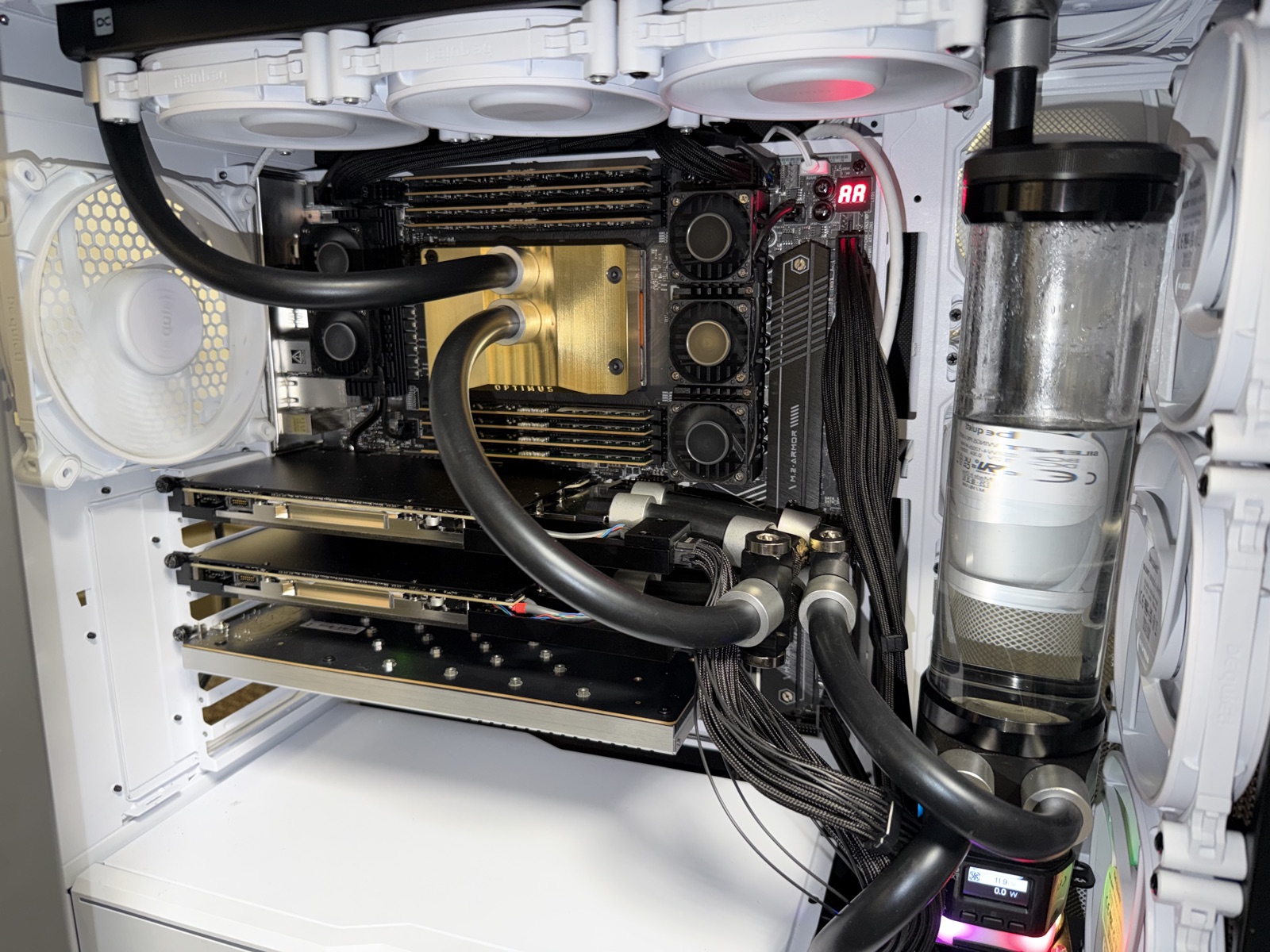
The build spec was a machine that could run as large of an oss model as would fit comfortably in my office. Having spent a ton of time looking at prebuilt options and seeing issues with each I decided to take the potentially less expensive, but also a lot more work route of building my own to learn more about how modern servers work and to better tailor the machine to my own desires. I began thinking those desires would be MOAR vRAM MOAR GPUs, but quickly found out MOAR POWER (out of the wall) and livability (aircooled setups are LOUD and make it hard to take calls) were more important to me the usecase. So those were my key constraints: power and livability. I started with two cards on a motherboard (an ASRock WRX90 WS EVO) with room to grow from 2 cards to 4. My plan was to learn the machine at two cards before committing to four, but as I kept watching prices go up I decided to pull the trigger on more.
Writing this up is also where the next machine came from (shocker). Drafting a writeup of the build forced me to look at the thermal math and think about how livable a ~45C-47C fluid temp with ~high fan noise was to me, and I decided that the honest answer was that four cards don’t really belong in this chassis — it’s a two-GPU box that I stretched to four. After that the search for a larger case took me to a Corsair 9000D which is the only thing on the market I could find with ~double rad surface area of the Dark Base Pro which is what I needed. That build became workstation-2, written up separately. So read this as two things at once: the build itself, and the lessons that sent me to the next one.
Power#
So for power, I found out pretty quickly I was restricted to a ~1600w psu @120V. This gives you enough room for 4 max qs (and headroom for the rest of the system) and still fits on a standard US plug. There’s a bunch of other options here but this was a constraint for me: needs to not require “special” power. For the 2x build this is less important because it tops out (even with CPU pegged) at like ~1100w-1200w draw. If you are building for 220-240 or “server power” then this isn’t as big of a deal and you can do something fun like this.
Where does ~1600w come from? A US 20A/120V circuit is 2,400W on paper; you derate continuous loads to 80% (~1,920W at the wall), and after PSU efficiency the biggest unit the plug reliably feeds is about a 1,600W DC PSU. Worth saying up front, because it confused me at first too: power was never the constraint that capped this build at two cards — four max-qs fit inside 1,600W fine. The one that did is the next section.
Livability#
So for my other constraint, I found over time I needed to go to watercooling if I was going to be sitting next to this thing. I started by just naively plugging everything in and getting it running with minimal fans. This was functional (yay I’m using gpus) but it was kinda loud (the maxq blowers aren’t my favorite sound) and the heat coming out was … hot and concentrated. Not my favorite. Then as I began to research watercooling (a great youtube rabbit hole) and use the machine more, I quickly convinced myself that I could DIY a custom loop by watching youtube videos and talking to claude (if the hyperscalers are switching to liquid cooled for blackwell then I should too).
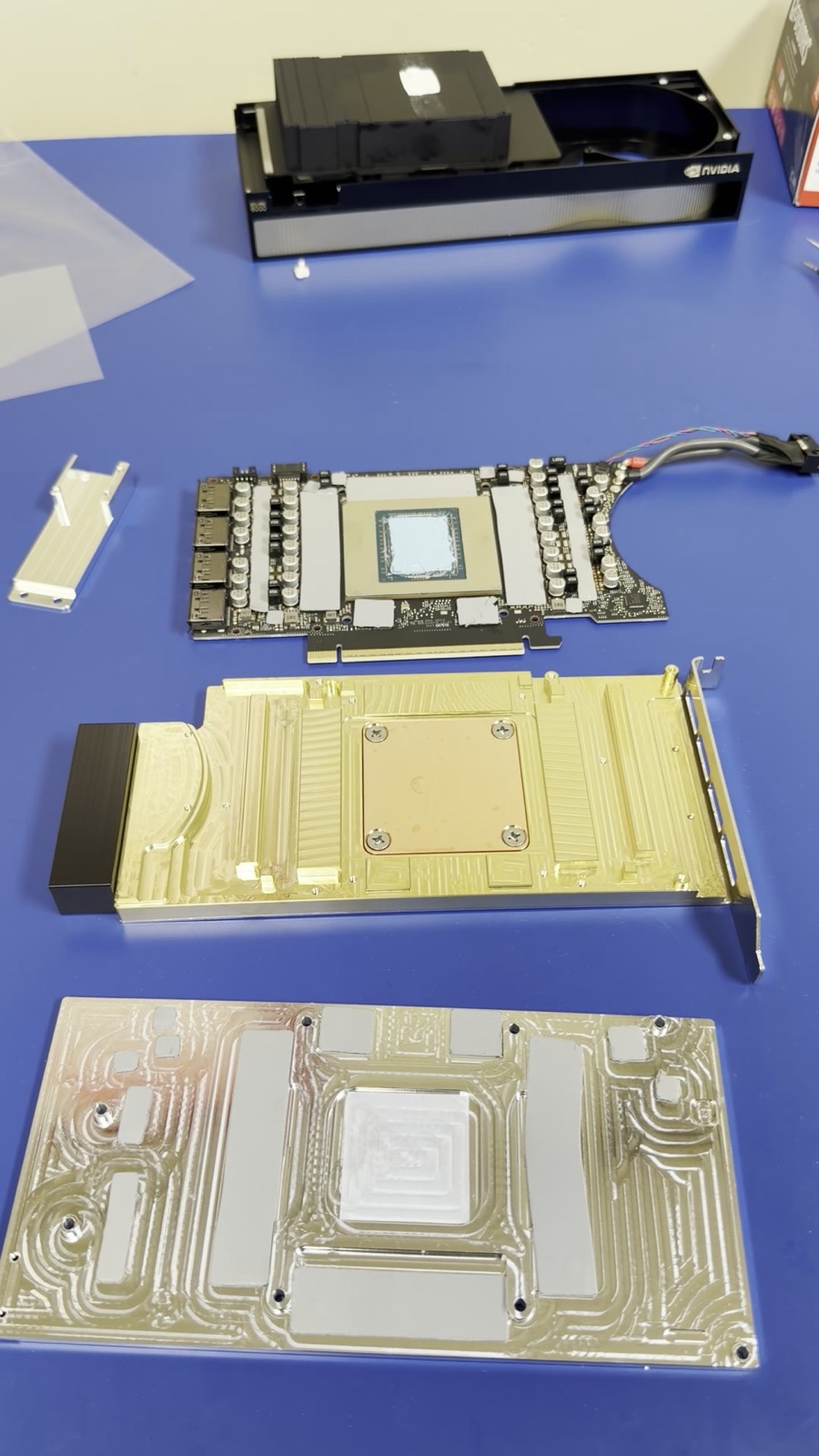
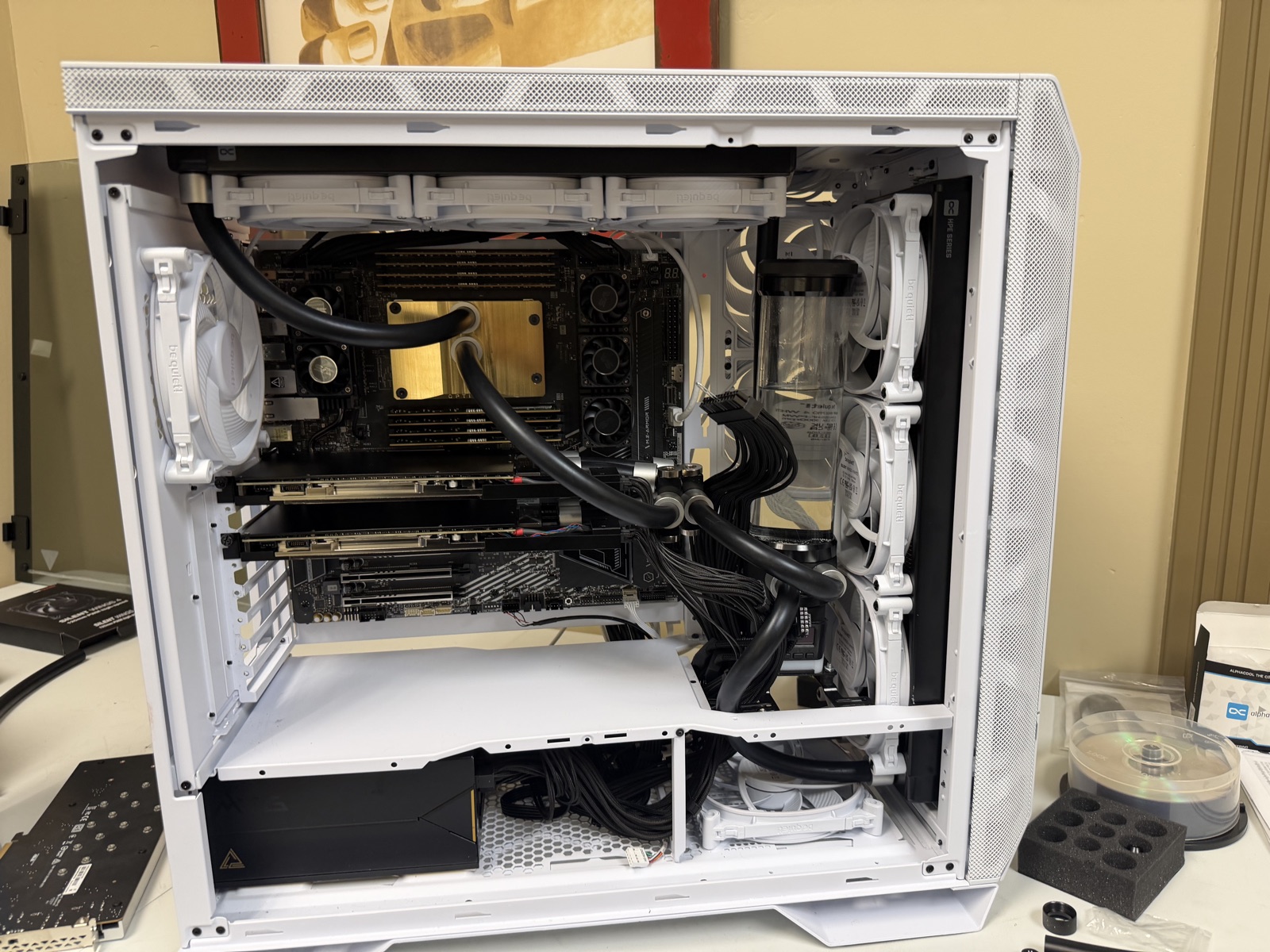
Luckily the Dark Base Pro had enough room to SQUEEZE in a custom loop for 4 cards!
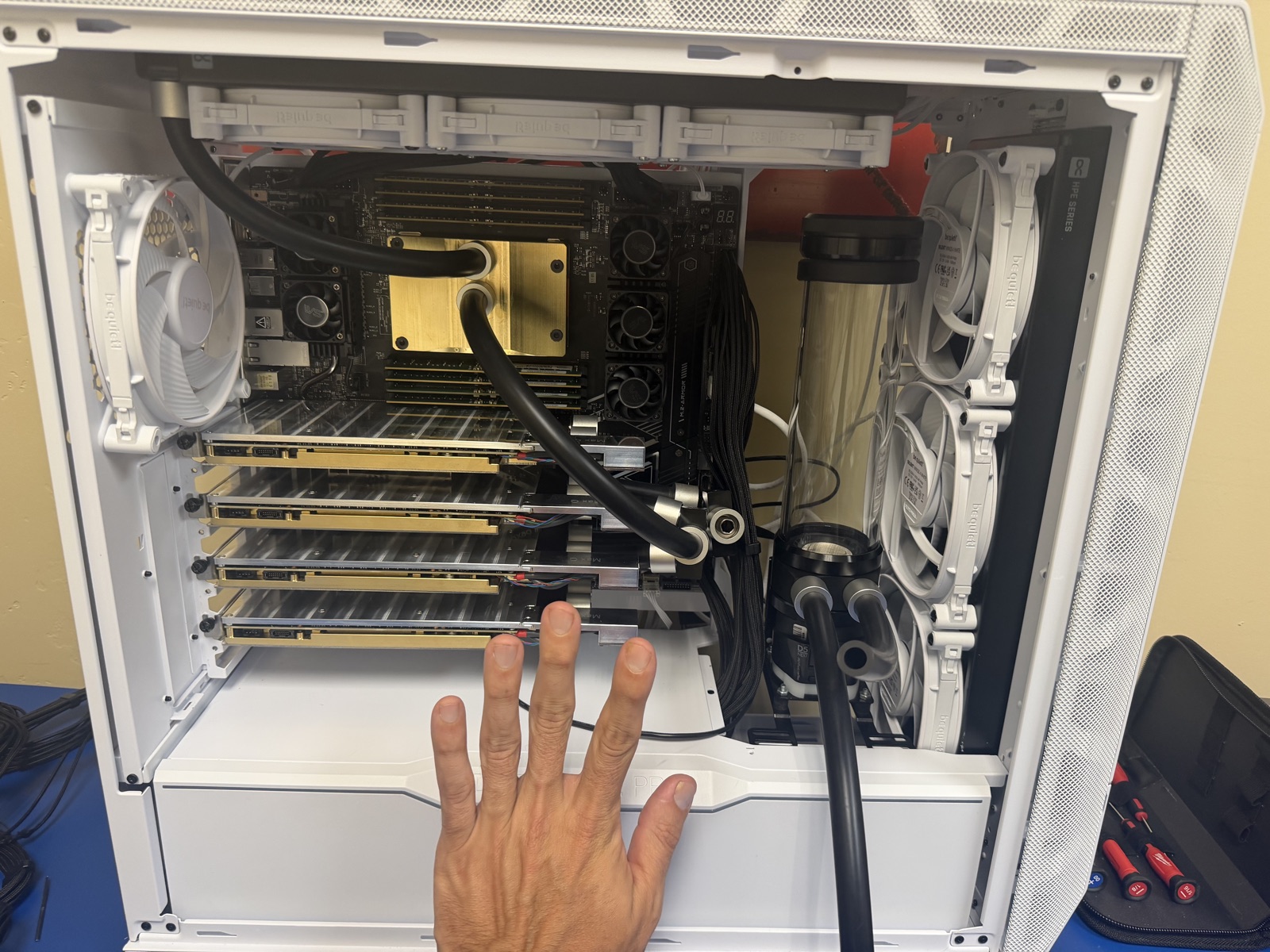
Making this loop I found out a few things:
- I can make a loop! I understand how this works
- Quick disconnects are there for a reason and maintenance is hard
- Not enough cooling for the amount of power I’m pushing through it
That third one is the whole story. Four cards fit the case fine; what they didn’t fit was the thermal budget. At four, coolant settled around 45-47°C and the fans had to run loud enough to hold it there, which is exactly the not-livable I was trying to design out. Two cards on the same loop run cool and quiet, so I’ve settled on this as a two-card build.
Gotchas#
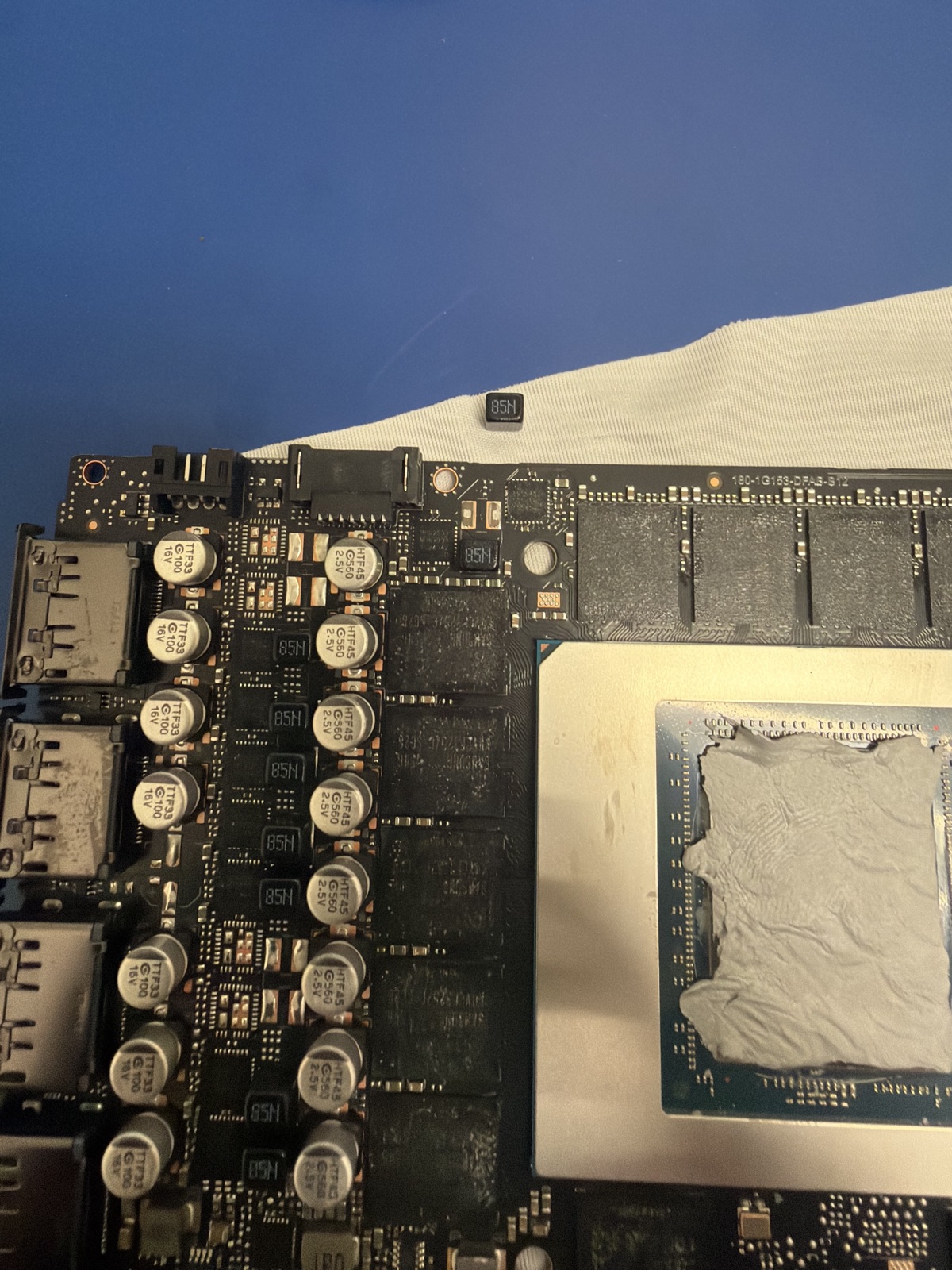
A handful of things I learned the expensive way that I’d flag for anyone attempting a first build:
- Small frames don’t fit QDCs (quick disconnects). You can do a loop w/o QDCs (see images lol), but you don’t want to. Funny enough I ordered QDCs with no clear plan on how to install them only to find they don’t fit. I’ve drained the entire loop prob ~5-6 times at this point, don’t make this mistake.
- You risk damaging a card. I damaged one of the GPUs while installing one of the Optimus blocks. Was able to have it repaired by ZapFixers (THANK YOU ANDY). Def the most nerve wracking part of the whole build but something you should prepare yourself for if you
--yolomode into DIY watercooling. Youtube videos only get you so far. - OMG RAM is so expensive. And after using these boxes: you don’t need it. You need vRAM. Skimp on RAM
- LLMs were able to effectively design with me and help me learn to do all this to the point where I can make changes on the machines easily. Thanks Claude and Codex!
What I run on it today#
The model I reach for most is DeepSeek V4 Flash, served with vLLM FP8 TP=2, 262K context. I have agents running crons to help maintain infra as well as other reports, monitoring etc… and this box serves all of those (easily). ~180 tok/s single stream but at 5 AM I have 15 agents getting reports for my morning ready and it kicks out >800 tok/s at that concurrency!
DeepSeek recently released a dedicated speculative-decoding model for V4 Flash, and it should push these numbers up significantly again. I have not folded it into the daily driver yet, but the headroom is there — and “the same hardware got materially faster because the software stack improved” has been the recurring theme of local inference this past year. As kernel perf for the sm120 (the particular one that the rtx6kpro uses) improves and models get better this is just going to keep getting better!
BOM#
Sourced across multiple vendors during the spring 2026 build window because no single retailer carried everything in stock. Links go to the manufacturer or retailer site for each part — pricing in this category moved a lot through 2026, so check current numbers at the time you read this.
This is the machine as deployed — two GPUs, not four. I specced and bought workstation-1 for four cards; four is more than this chassis cools and services well, so it runs — and runs well — as a two-GPU node. The article above is the four-GPU attempt and why it didn’t hold; the list here is what’s actually in the box, and what I’d point another two-GPU builder at. The four Optimus GPU blocks, the two extra cards, and the 256GB memory kit moved to workstation-2.
Platform
- 1× be quiet! Dark Base Pro 901
- 1× AMD Ryzen Threadripper PRO 9965WX — 24 cores, 48 threads, sTR5
- 1× ASRock WRX90 WS EVO — 7× PCIe 5.0 x16, 128 lanes
- 2× NVIDIA RTX PRO 6000 Blackwell Max-Q — 96GB GDDR7 each, 300W power limit (192GB total)
- 8× 16GB DDR5 ECC RDIMM — sourced from OWC, mixed Micron SKUs (128GB total)
- 2× T-FORCE G50 4TB NVMe SSD — model TM8FFE004T
Power
- 1× MSI MEG Ai1600T 1600W PSU
- 1× EcoFlow Delta 3 Max Plus — clean-shutdown battery between PSU and outlet
Water blocks
- 2× Bykski RTX PRO 6000 GPU block — full-cover
- 1× Optimus Signature V3 Raw Brass CPU block, sTR5
Radiators and fans
- 1× Alphacool NexXxoS HPE-45 420mm Full Copper — front, push-pull
- 1× Alphacool NexXxoS ST30 X-Flow 360mm Full Copper — top
- 6× be quiet! Silent Wings 3 PWM High-Speed 140mm — front push-pull
- 3× be quiet! Silent Wings 3 PWM High-Speed 120mm — top
Pump, reservoir, distribution
- 1× Aquacomputer ULTITUBE D5 200 PRO + D5 NEXT pump — USB telemetry into Grafana
- 3× Alphacool 5-way Connection Terminal G1/4 — distribution split + merge
- 1× Alphacool Eiszapfen L-Connector Rotatable G1/4 AG→IG 4-pack — terminal-clearance fix discovered install-day
- 1× Alphacool Eiszapfen 2-way Ball Valve G1/4 — drain
Fittings, tubing, coolant
- 5× Optimus Flex Compression Fitting 10/16mm 6-pack — satin silver variant
- 4× Optimus G1/4 plugs
- 3× Alphacool EPDM Tube 16/10mm 3m
- 2× EK CryoFuel Clear Premix 1000mL